

Somebody at your school is wrong.
Make it a Cue. Everyone picks a side, and the result stands.
An example Cue
An example Cue on Cue It. Who takes Friday, Hornets or Riverdale? Hornets, 63 percent. Riverdale, 37 percent.
An example Cue
Five seconds, not a form.
A starter fills in everything except the part only you know. The question arrives unfinished on purpose, so nobody posts a blank.
Cues are filed under Anything, Golf, Gaming, Basketball, School, TV or Outdoors.
140 characters. Two or more options. A close time. Up to seven friends you name.
The button you press becomes the result.
Each side is a full-width button while the Cue is open. Tap one and that same bar fills to how the room split. No new screen, no waiting for a reveal.
While it is open
After you pick
Percentages are how the room split, never odds. There is no money in Cue It: no stake, no shop, and nothing to cash out.
Send it to anyone. No account needed.
Drop a Cue in the group chat and your friends pick right there.
You send the link.
Every Cue carries its own link. Open it and you get the question, the sides, the live split and the time left.
They pick a side.
No profile and no email. The pick is held in their browser against a random token, and that page never shows the comments, the Moments, or who picked what.
The pick comes with them.
If they make an account it moves across, which is why the button on that page reads Keep my pick.
A person writes down what happened.
Cue It does not read a scoreboard. A person records the result, and once it is written there is no edit and no delete.
Record the result.
The person who asked, a group owner or a community admin can settle a Cue. The database decides that, not the screen.
No loss for staying quiet.
On a Cue decided by picks, someone who never picked gets no result at all. A head-to-head is different: it is settled on who actually won.
Run it back.
The loudest button on a settled Cue names your opponent and fills in the rematch.
Your record is counted from the Cues themselves every time you look at it, so it is never out of date.
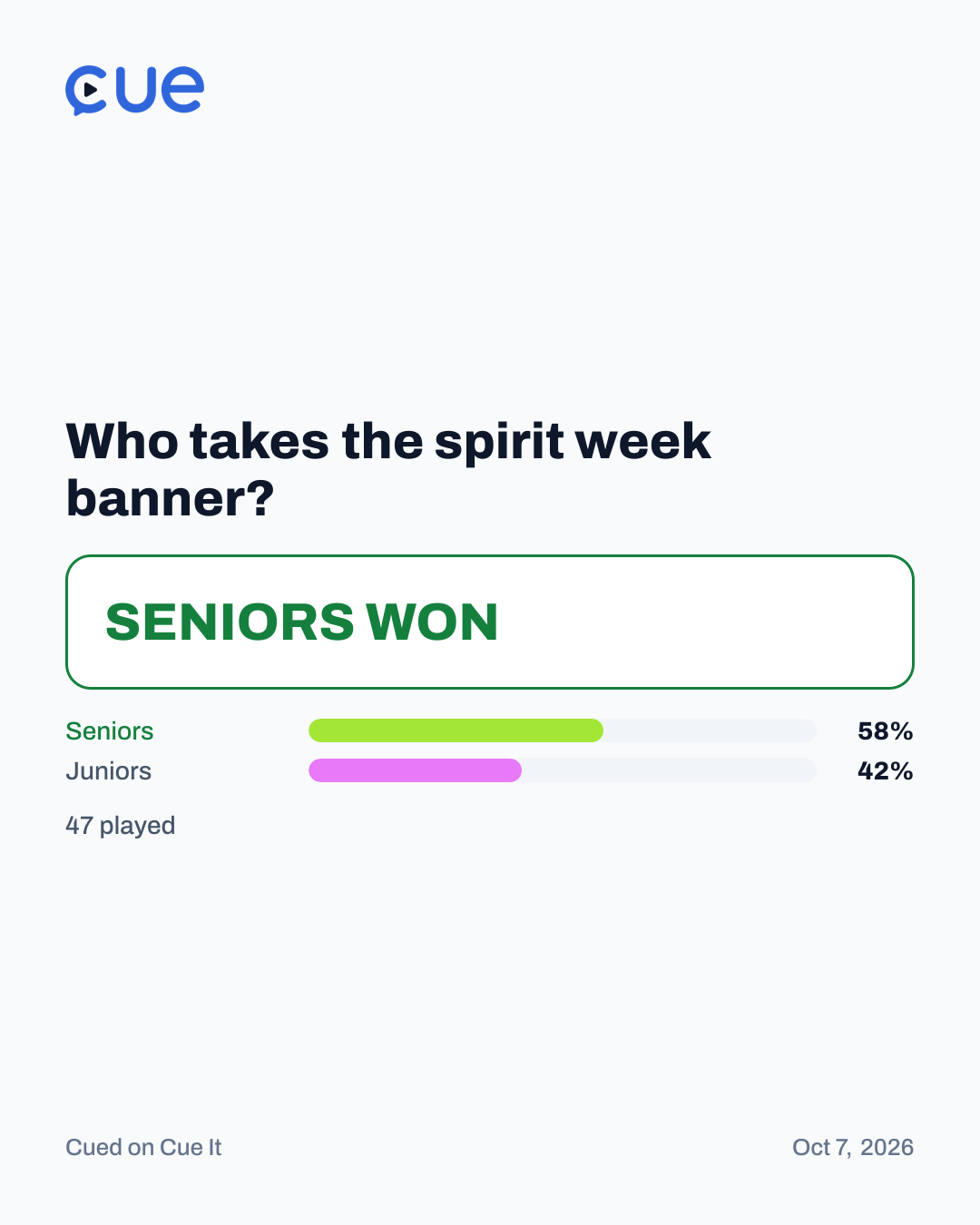
The receipt is a thing you can post.
A settled Cue becomes a 1080 by 1350 image, built on the server so it comes out the same on every phone.
Private comments never reach a card by any route. A Moment photo and the group's name are both opt-in, and both start off.
Your week gets its own card too: what you called right, how many, and your best call. Best call is the one you got right that the fewest people agreed with you on.
It stays in the room you asked in.
Cue It is scoped to rooms on purpose. That is the same fact a student wants and a school needs.
There is no site-wide leaderboard.
There is not going to be one. Ranking minors publicly against strangers is a line the product does not cross.
The Board ranks judgement.
Ranked by how often you call it right, not by how much you post. Members only, with a floor of three settled picks.
A group stays in the group.
Wall photos and group Cues never reach a feed or a member's profile.
A private Cue stays private.
A Cue sent to one person, or asked of one group, never turns up in a stranger's scroll.
Written into the database, not a screen.
Every permission rule is enforced in Postgres. Skipping the app and calling the API directly returns exactly what the rules allow, and nothing more.
- Age and contact
Sign up asks for a date of birth and checks it against Cue It's minimum age, which is 13 right now. It is one setting for the whole platform, not a per-school one.
It is stored where only its owner can read it. Nobody sees anyone else's birthday.
Under 18s can be held to friends-only messaging by a switch a student cannot turn off.
A minor can be found by someone who already knows their exact handle, never by browsing.
- Accounts and reports
Accounts are private by default. A private profile shows a name and nothing else.
Blocking is mutual and total.
Reports go to a moderation desk built as cases, with an append-only audit row behind every staff action.
Cue It does not sell data and does not show ads.
- What a shared link can never show
Comments.
Moments.
Who is in the group.
Who picked what.
Insights tells whoever runs a room how it is doing, including the members who have not picked in thirty days, by name.
Running a school, club or team account? Community accounts are set up by Cue It staff. Talk to us.
Somebody has to go first.
Make an account, ask one question, and see who backs you.
Already have one? Sign in
Sign up takes a name, an email, a password and a date of birth.